EasyKara v1.6.4: Dark Mode, Clean Lyrics and New Sync Languages
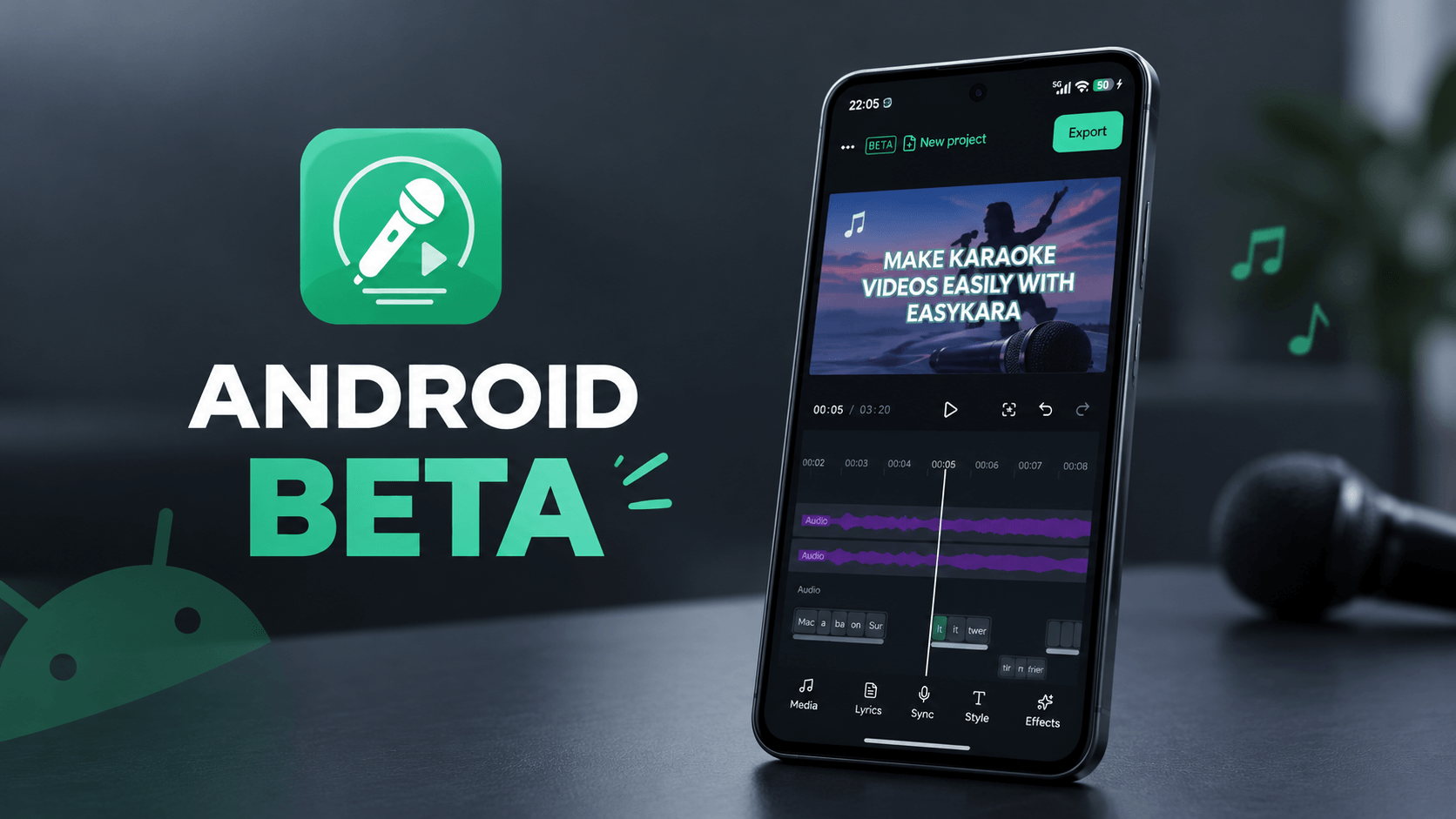
EasyKara v1.6.4 brings the Android closed test, a dark theme, a lyric cleaner for text copied from AI music tools, countdown markers, a per-line sweep switch and word sync for five more scripts. Here is what changed and where to find it.
1. Android closed test is open
The EasyKara Android app is now in closed test as version 0.1.1. You can make karaoke videos on your phone: import a song, type the lyrics, sync each word, and export an MP4 with subtitle files. To join, follow the step-by-step guide in our Android blog post.
Read how to join the Android closed test
2. Dark mode, Settings and a lighter browser footprint
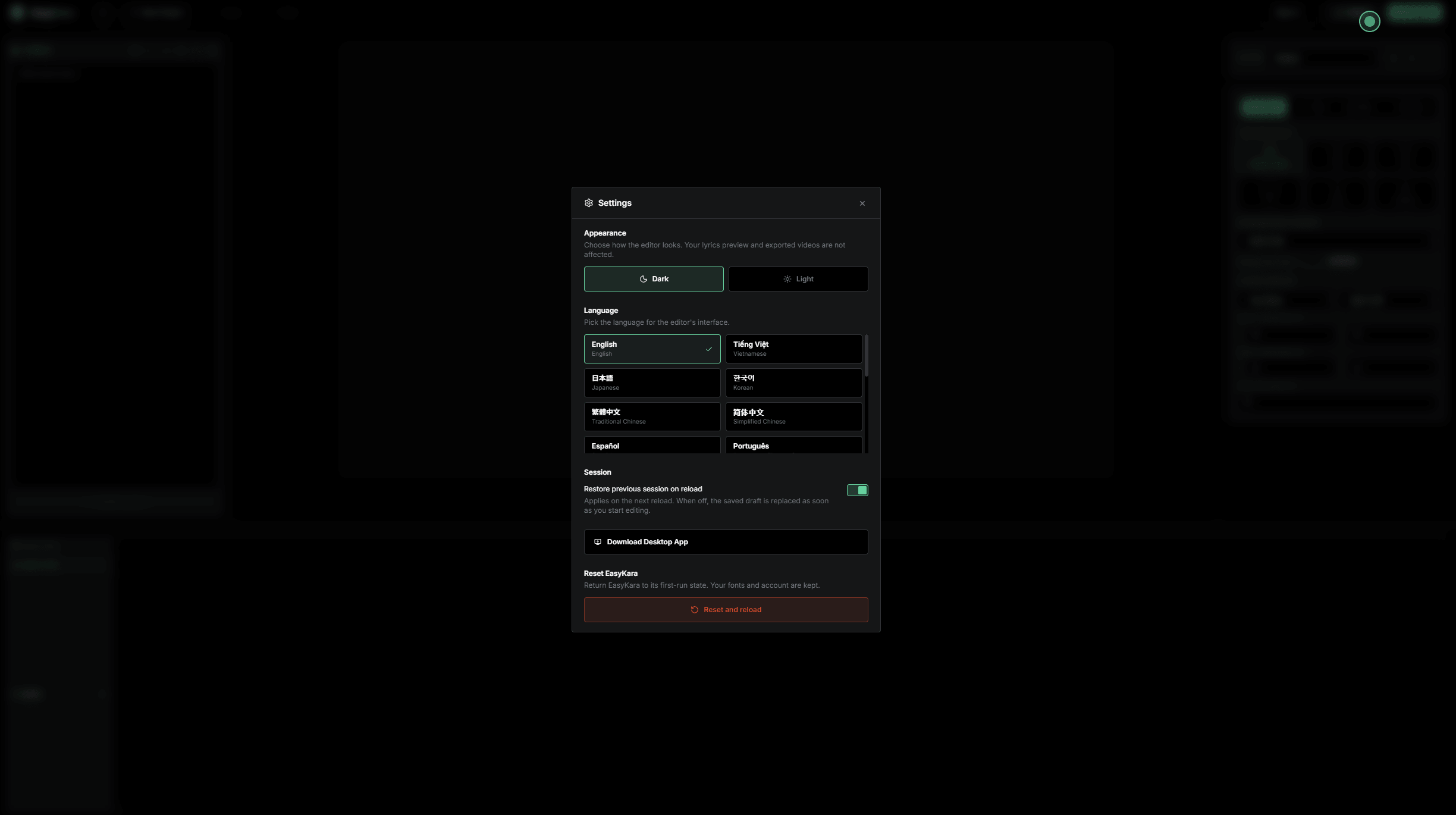
The editor now has a dark mode as well as a light theme. Pick the one you prefer in Settings.
Imported video and audio are no longer saved in the browser's IndexedDB. That storage was prone to technical errors and made the app use more memory. After a reload, your project and lyrics come back on their own, but you need to import the video or audio again.
Settings → Reset returns the app to its first-run state. Every option now lives in the Settings modal, which you open from the menu button in the top-left corner.
3. Clean lyrics
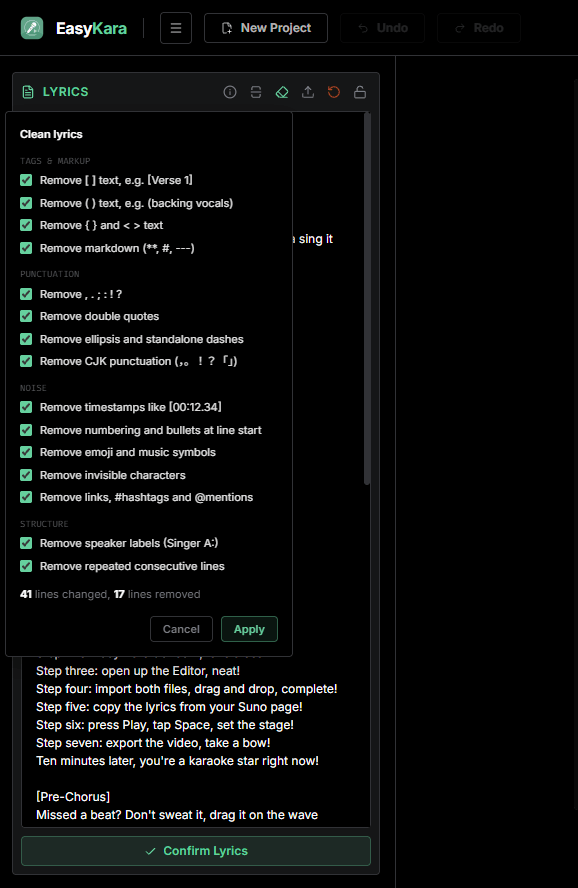
If you copy lyrics from AI music tools such as Suno or Udio, the text often contains tags like [Verse 1], [Chorus] or [Bridge]. They are not sung, and deleting them by hand takes time. The Clean lyrics action removes these tags so you can start syncing right away.
4. Countdown marker "C"
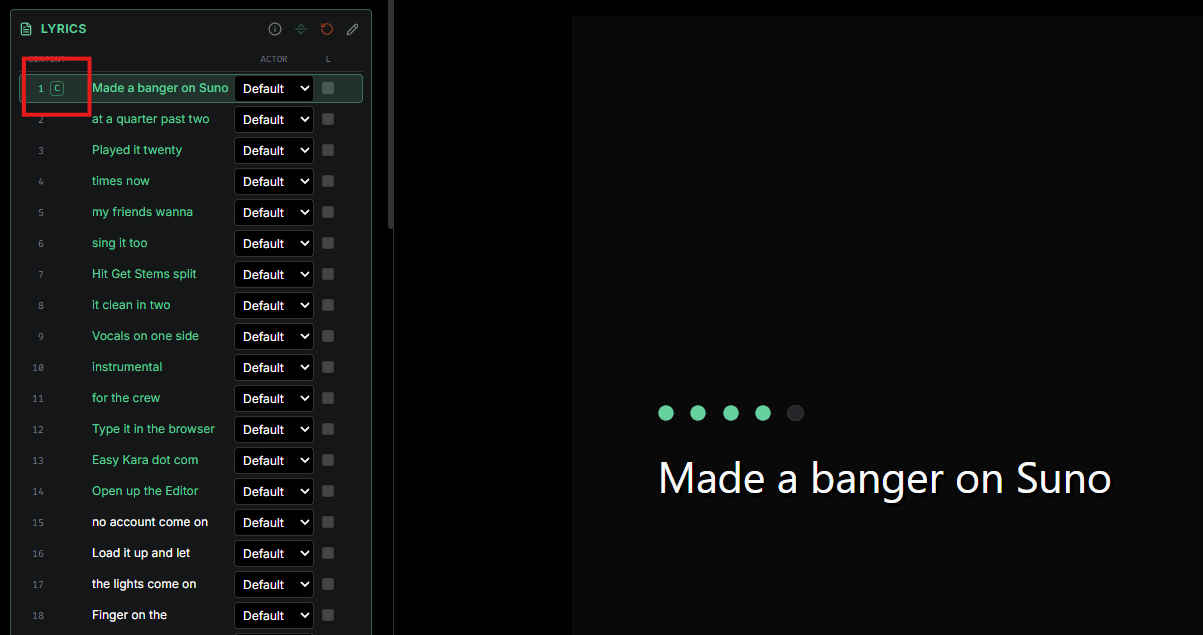
When a lyric line has a countdown before it starts (the numbers and dots shown before the line), it is now marked with a C in the lyrics list. You can see at a glance which lines have a countdown and check them quickly.
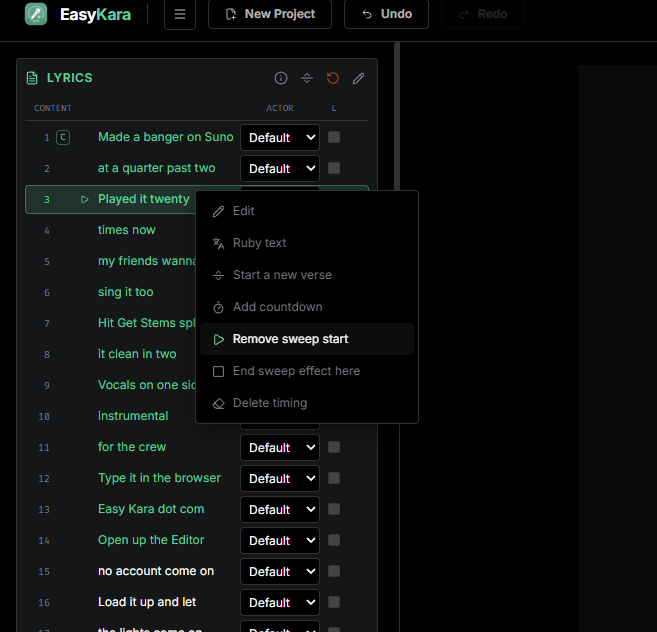
5. "Start sweep effect here"
The sweep effect, the colour that fills each word as it is sung, applies to every line by default. Sometimes you want to skip it for part of a song. The Start sweep effect here option lets you choose where the sweep begins. Few songs need it, but when they do, it is very handy.
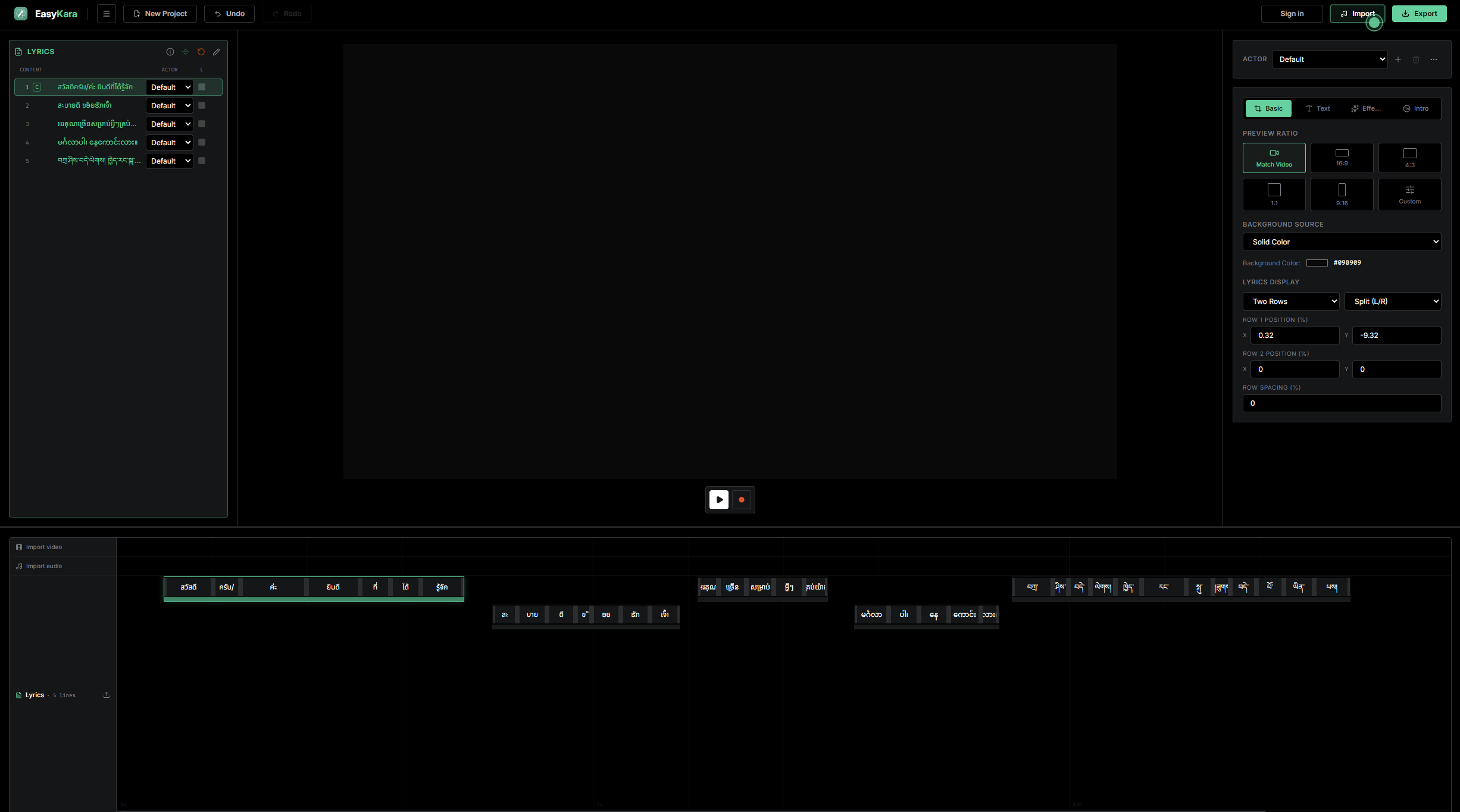
6. Word sync for Thai, Lao, Khmer, Burmese and Tibetan (beta)
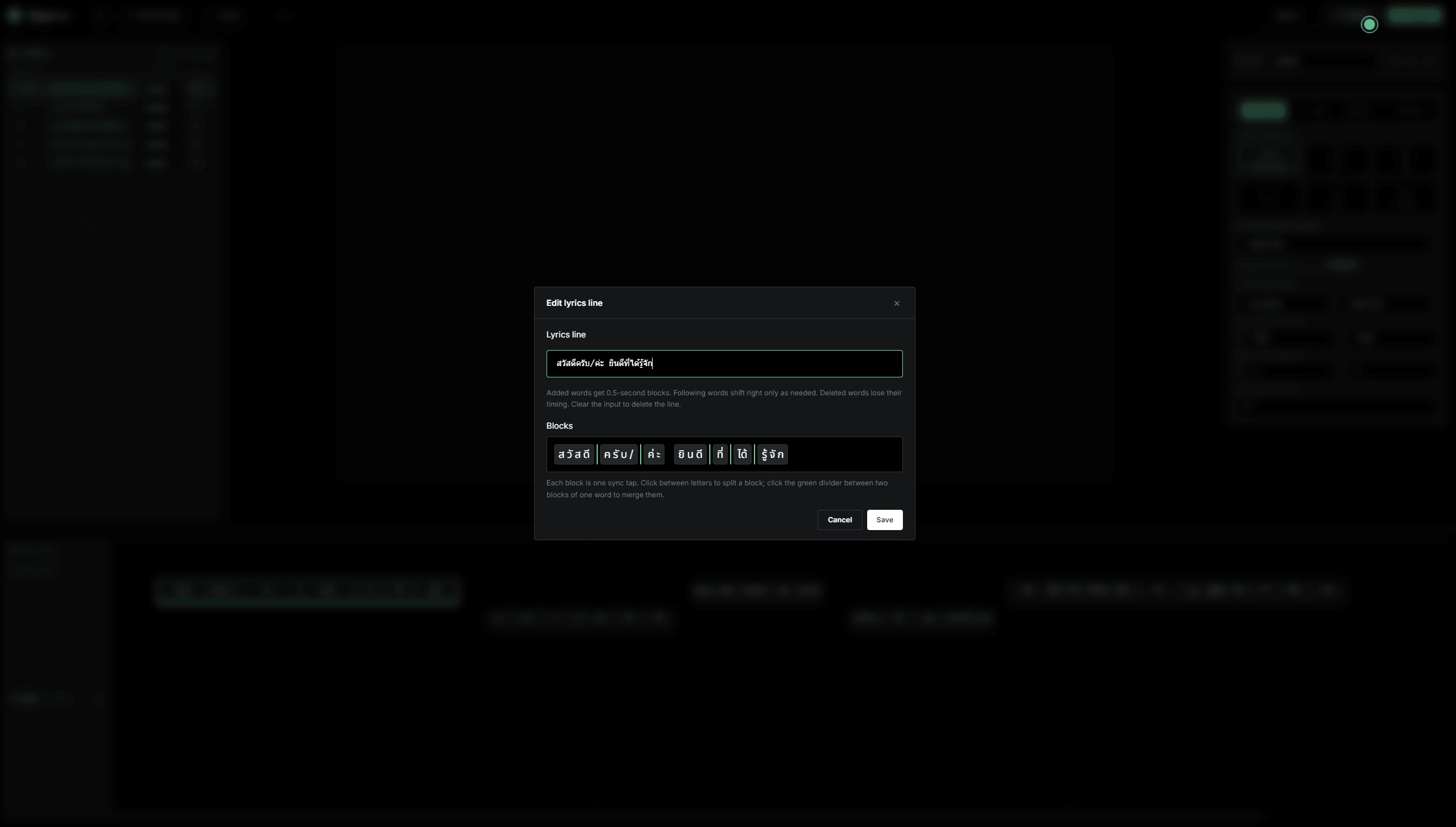
These scripts do not put spaces between words, so EasyKara now splits them into words automatically. Thai, Lao, Khmer and Burmese are split with a Unicode word segmenter; Tibetan is split at each tsheg mark. You can then sync word by word, as with other languages.
This is a beta. The automatic word split can make mistakes, so check the blocks on the timeline. You can adjust them by hand at any time.
Thank you for using EasyKara
Tell us what works and what does not. Use the Feedback option in the app menu, or email [email protected].
Frequently asked questions
Do I need to import my media again after a reload?
Yes. Imported video and audio are no longer stored in the browser. Your project and lyrics come back automatically, but you upload the media again.
Where are dark mode and reset?
Open the Settings modal from the menu button in the top-left corner. Dark mode and Reset are both there.
Is the word split for Thai, Lao, Khmer, Burmese and Tibetan exact?
Not always. This support is in beta. Check the word blocks on the timeline and adjust any that are wrong by hand.