How to Add Ruby Text to Karaoke Lyrics in EasyKara
Ruby text is the small reading shown above a word, such as furigana for Japanese kanji, pinyin for Chinese characters or romanization for Korean. It helps singers and viewers follow lyrics in a language they do not read fluently. This guide shows how to add ruby text to one line, generate readings for Chinese, Japanese and Korean, and apply them to many lines at once.
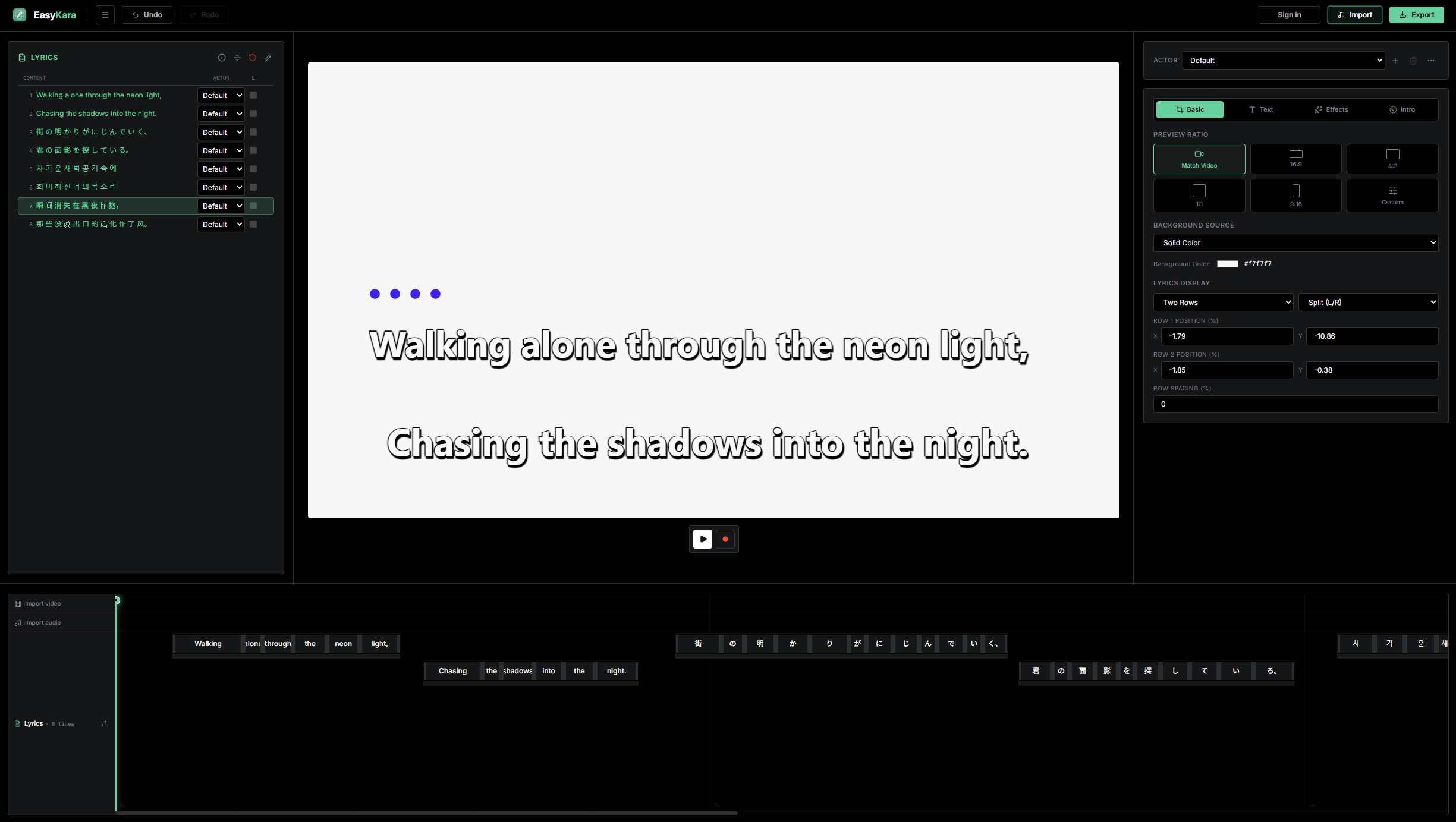
Step 1: Right-click a synced lyric line
Finish syncing your lyrics first. Then right-click the line you want to annotate in the lyrics list on the left.
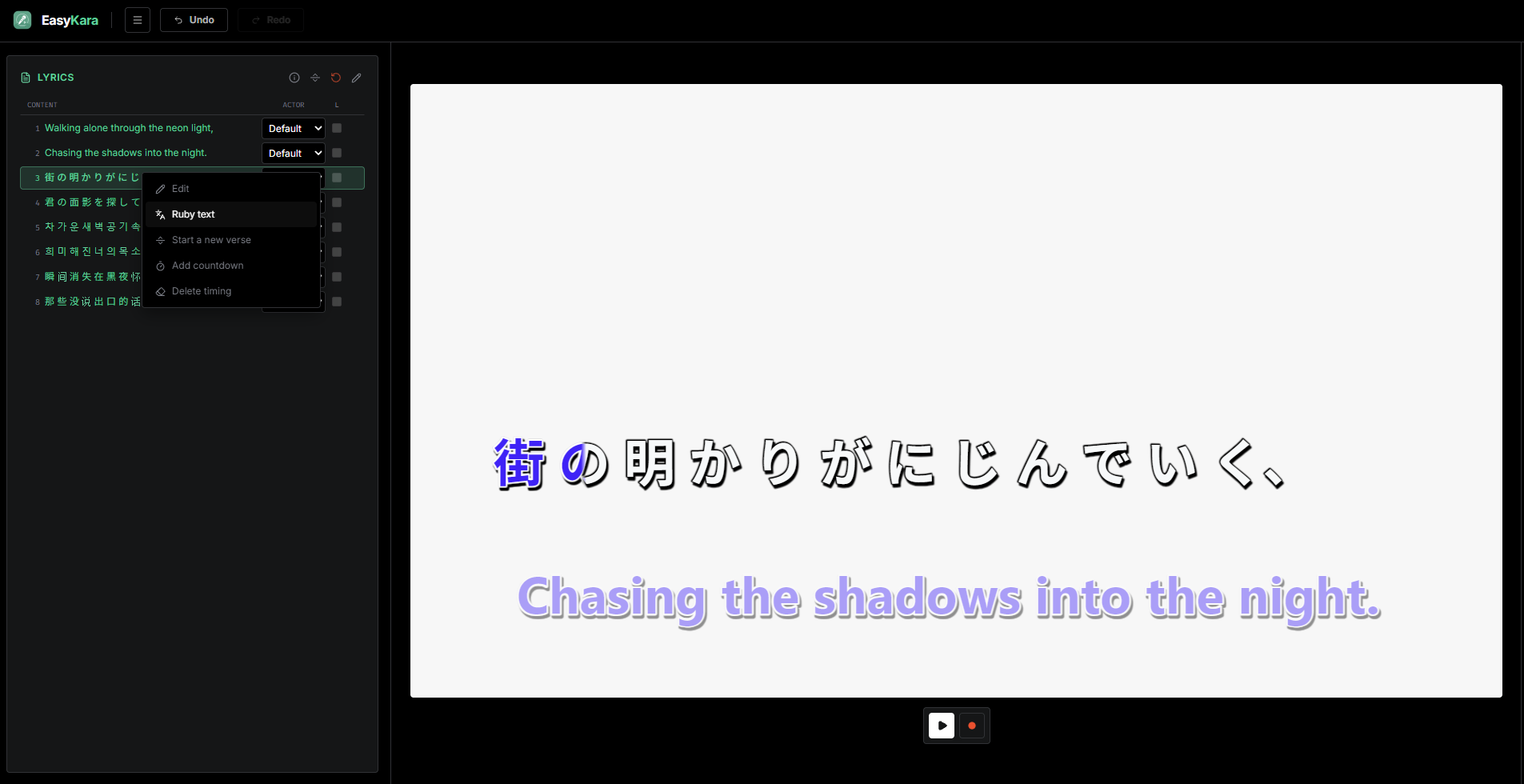
Step 2: Choose Ruby text
The context menu opens. Select Ruby text to open the ruby editor for that line.
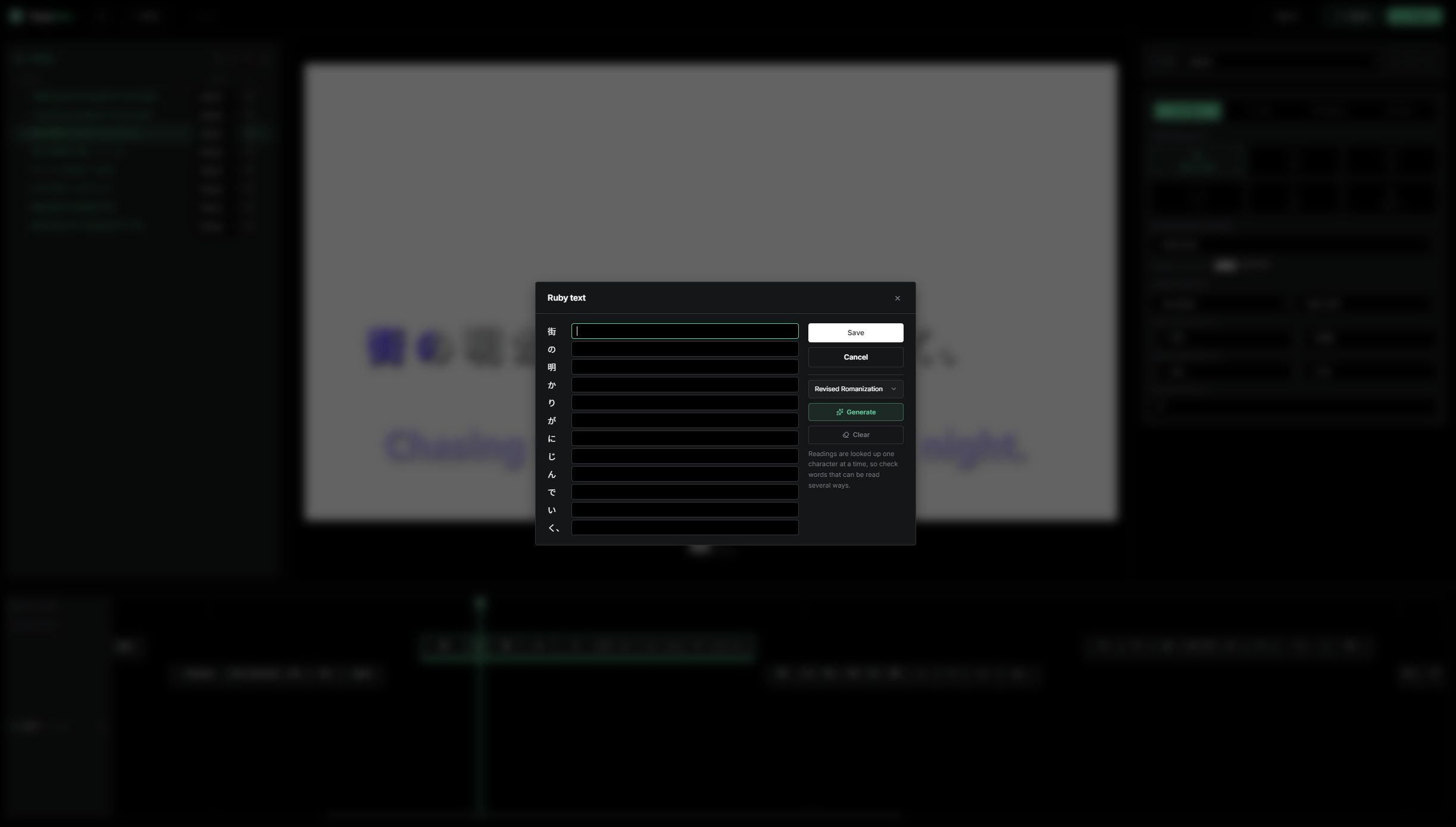
Step 3: Type a reading for each word
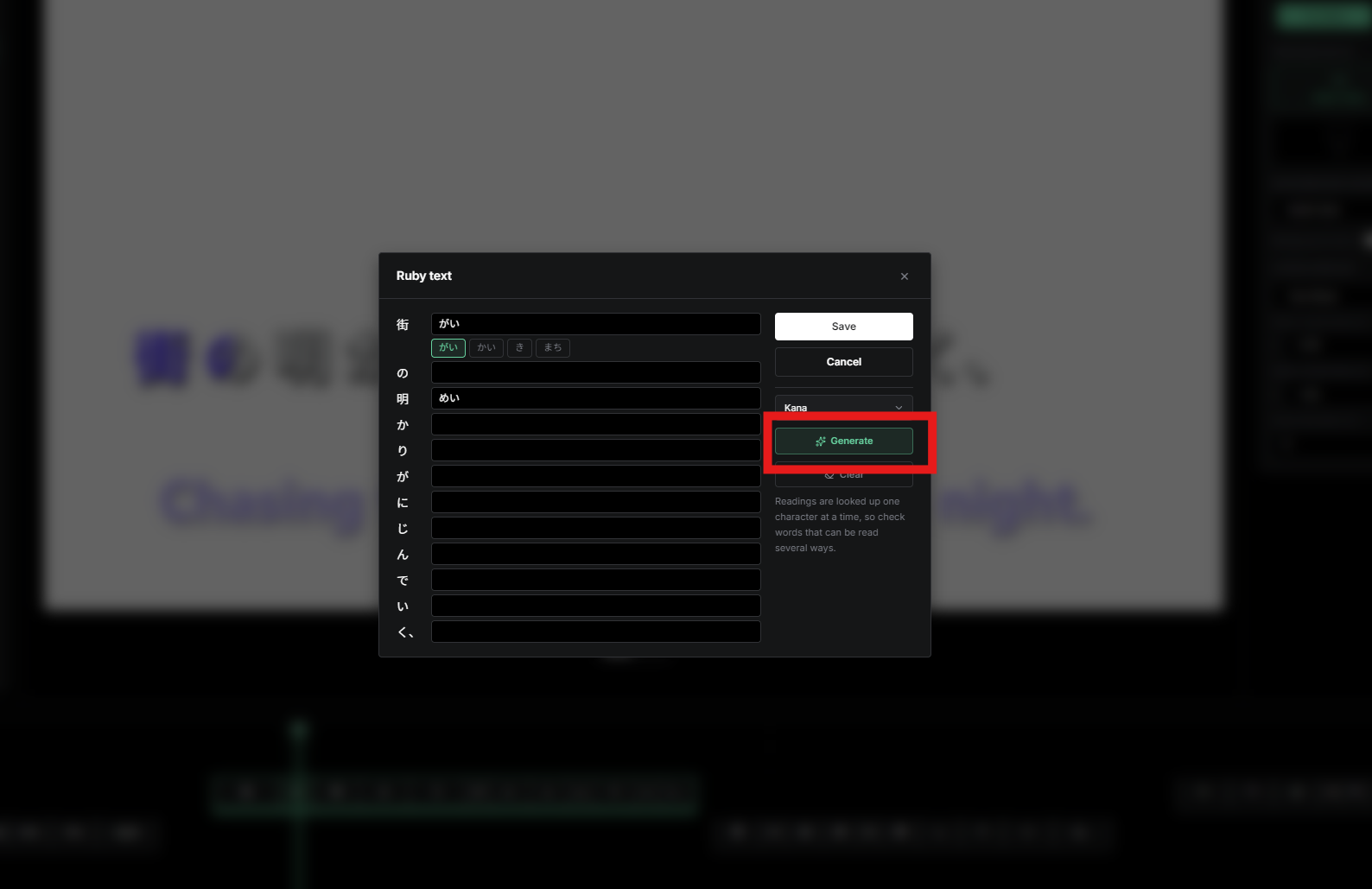
The Ruby text window shows one input box for every word or character, lined up with the lyric. Type the reading you want above each one. Leave a box empty for no ruby. Square brackets are plain text, so there is no special markup to learn.
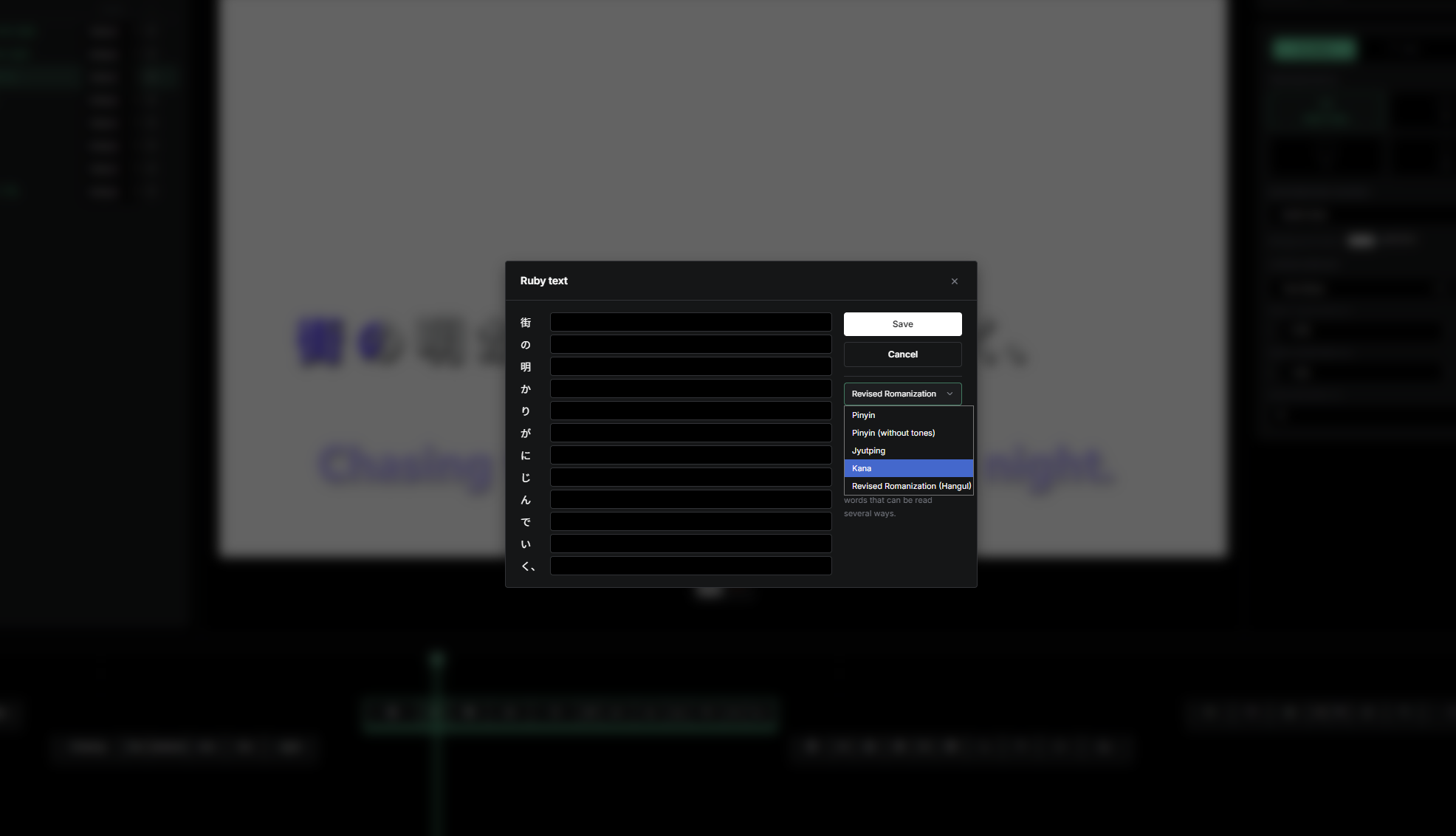
Step 4: Pick a reading system for Chinese, Japanese or Korean
For Chinese, Japanese and Korean, EasyKara includes built-in reading data. Open the Reading system dropdown and choose the one you need: Pinyin, Pinyin (without tones) or Jyutping for Chinese, Kana for Japanese, and Revised Romanization (Hangul) for Korean.
Step 5: Click Generate
Click Generate and EasyKara fills each box with a reading from its built-in data. Generate only fills the boxes: nothing is saved until you click Save. If a word has several readings, the alternatives appear as chips under its box while it is focused; click one to use it instead. Click Clear to empty every box.
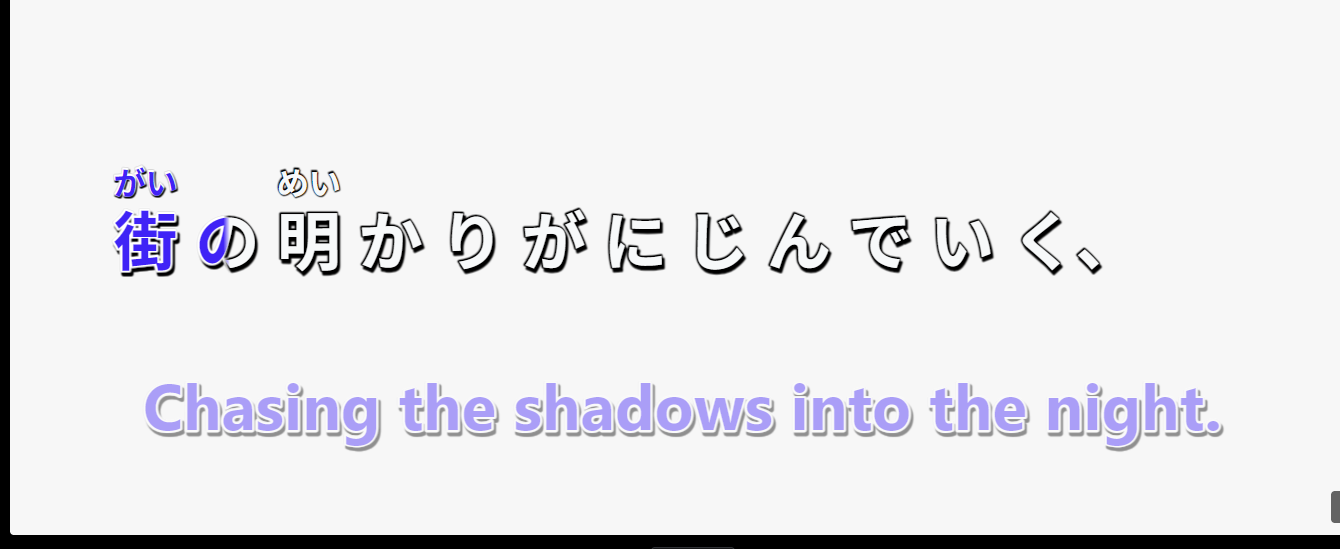
Step 6: See the ruby text in the preview
After you save, the readings appear above the lyric in the preview. The lyric still fills in as you sing, so the ruby and the timing work together.
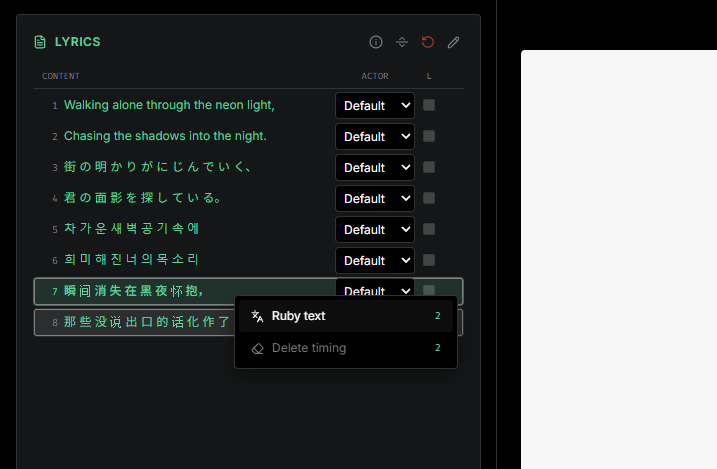
Step 7: Select many lines at once
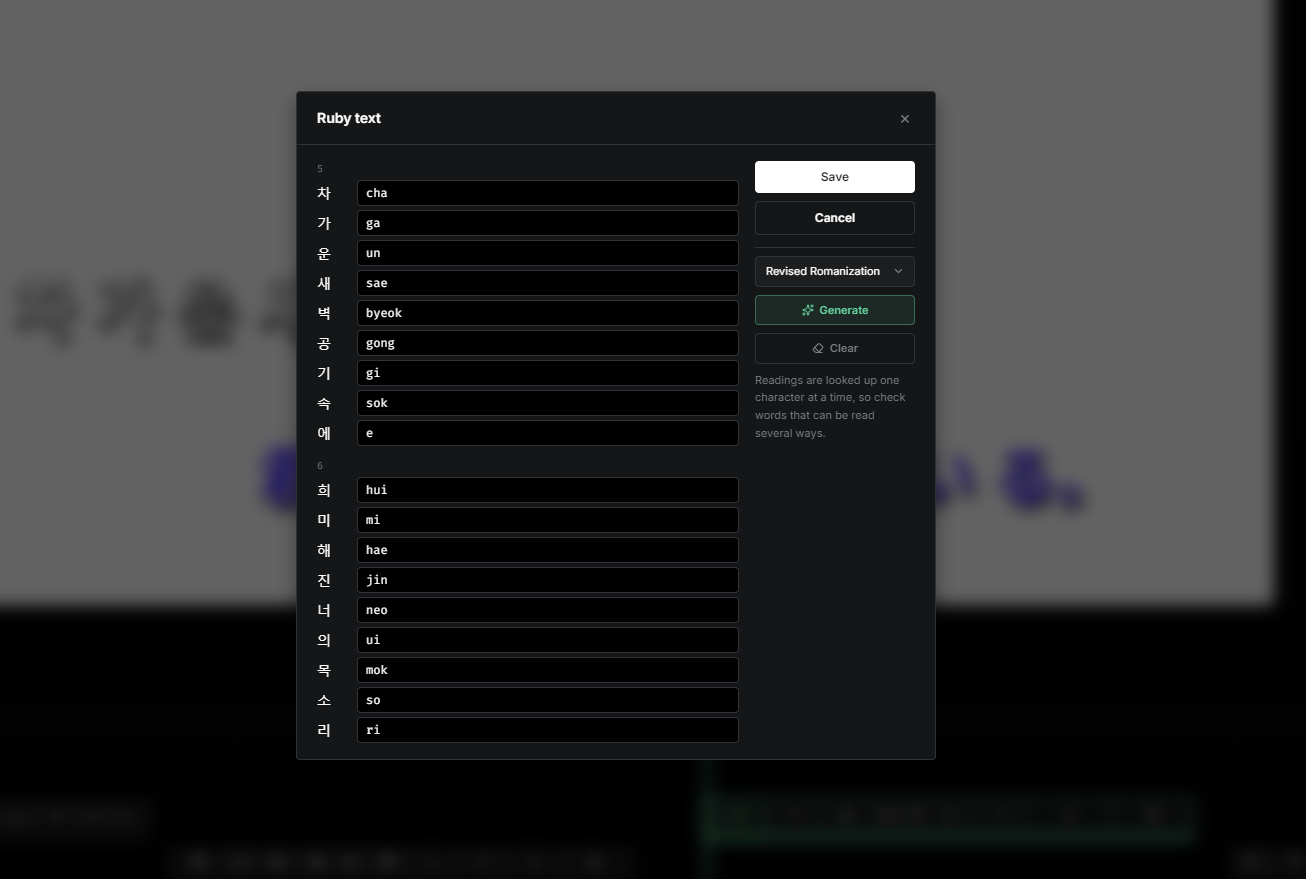
Adding ruby line by line to a whole song is slow. Press on a line and drag to select several rows. You can also hover the lyrics list and press Ctrl + A to select every line. Then right-click the selection and choose Ruby text. The menu shows only group actions: Ruby text and Delete timing.
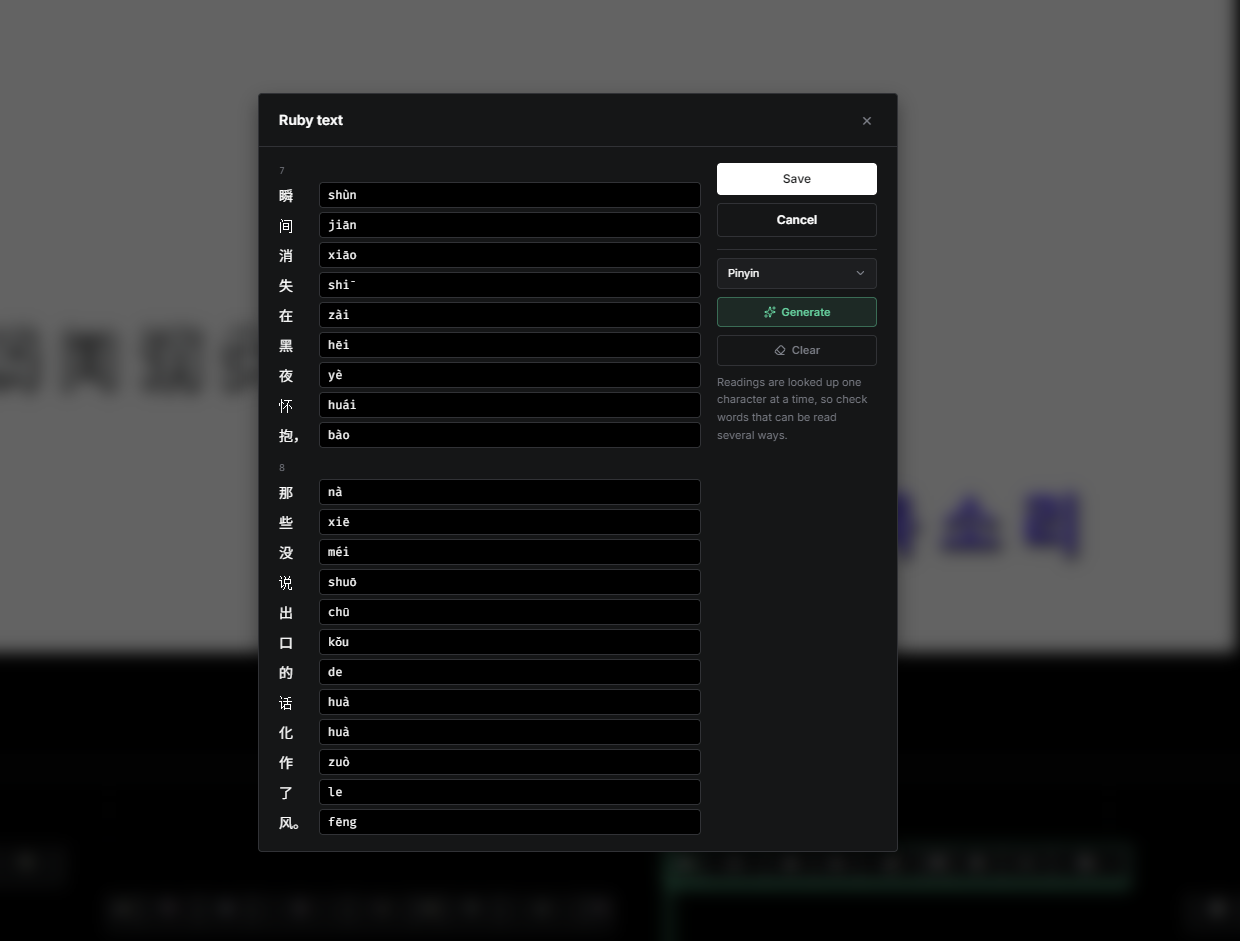
Step 8: Adjust each line and generate
The window lists one section per selected line, in song order. Choose a reading system, click Generate to fill every section, then correct any reading by hand. Words outside the chosen script keep their current value. Click Save to apply all lines at once; a single Undo reverts the whole batch.
Step 9: Watch the final result
Here is the result in the preview with ruby text applied to many lines. Subtitle files (ASS, LRC and SRT) contain base text only, without ruby.
Ruby text in a few clicks
Sync your lyrics, add readings to one line, or select many lines and generate them at once. Then fix the words that need a different reading by hand.
Ready to add ruby text to your lyrics?
Open EasyKara, sync a song, and add readings to any line in a few clicks.
Open the EditorFrequently asked questions
Does ruby text change my lyric timing?
No. Ruby text only adds readings above words. Timing, syllables and translations stay the same.
Can I add ruby text to languages other than Chinese, Japanese and Korean?
Yes. Type the readings by hand in the Ruby text window. Generate is only available for Chinese, Japanese and Korean.
Do ruby readings appear in subtitle files?
No. ASS, LRC and SRT subtitle files contain only the base lyric text.